
Download Learning Ally Link – Free Audio Learning Tool for Students
Overview
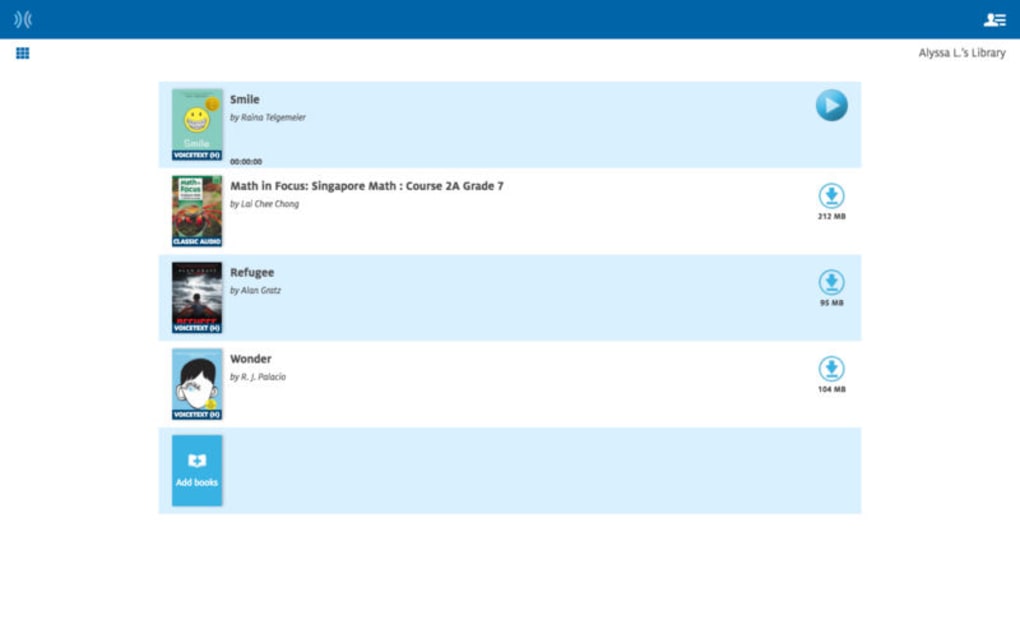
Learning Ally Link is a **free** educational software platform designed to turn the act of reading into a listening experience. Tailored for students with visual impairments, dyslexia, or anyone who simply prefers auditory learning, the app offers a vast library of professionally narrated audiobooks covering a wide range of subjects—from classic literature to modern science textbooks. After a quick download and installation, users can search the catalogue, select a title, and start listening instantly.
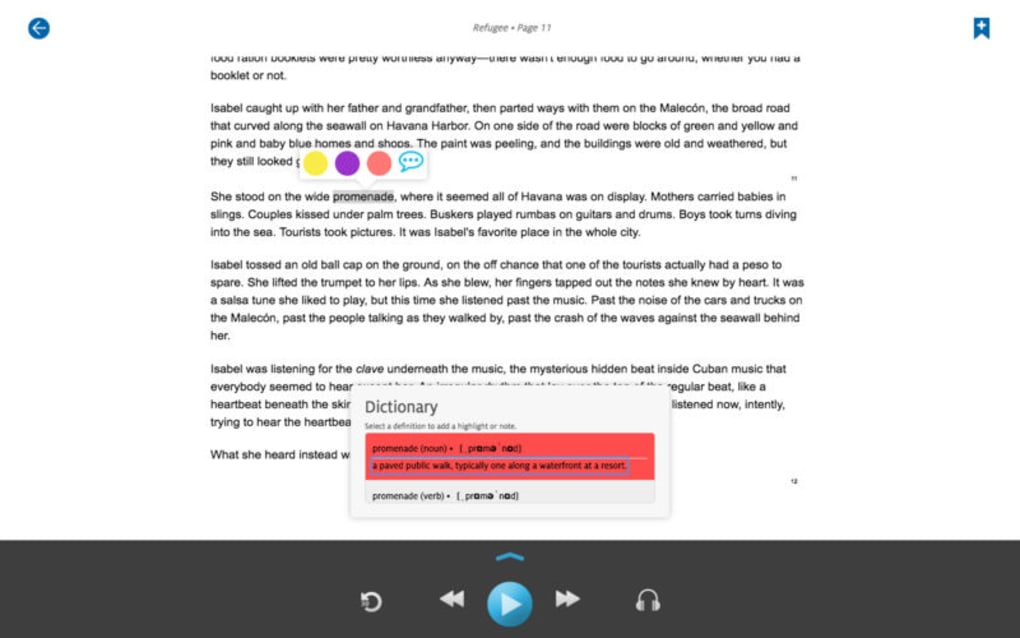
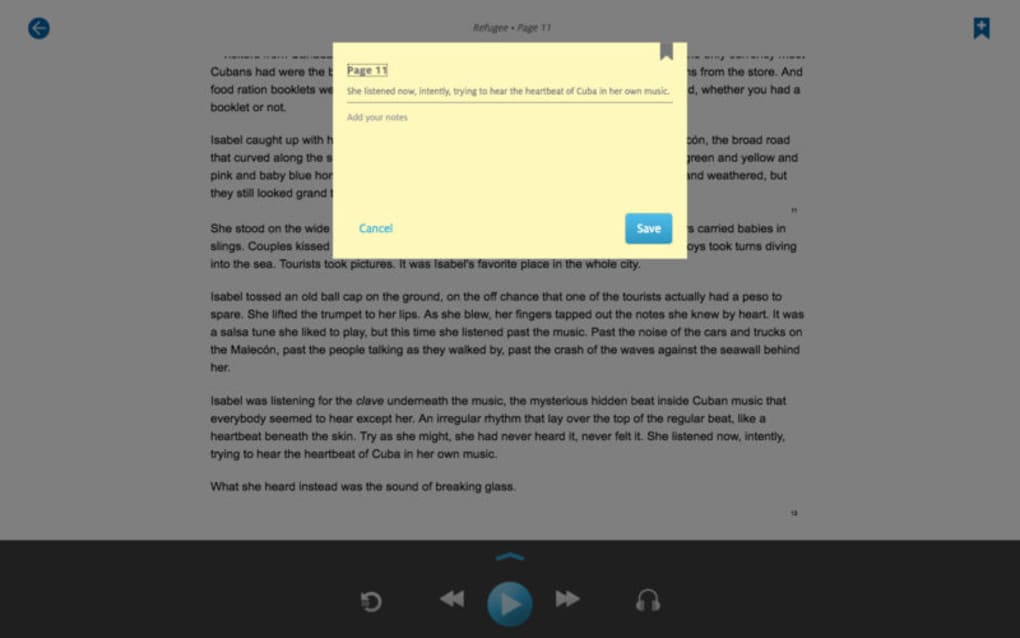
The recordings are performed by seasoned voice‑over artists, ensuring clear pronunciation, proper pacing, and engaging delivery. In addition to pure playback, Learning Ally Link includes a built‑in note‑taking feature that lets learners pause, jot down thoughts, and highlight key passages without leaving the app. This makes it a powerful study aid that supports active learning, comprehension, and retention.
While the platform is still polishing a few minor bugs, its **zero‑cost** model and inclusive design make it a valuable resource for schools, libraries, and independent learners seeking an accessible, secure, and regularly updated learning environment.
Key Features & Benefits
- Extensive Audio Library: Thousands of titles across K‑12 and higher‑education curricula, including textbooks, novels, and reference works.
- Professional Narration: Every book is read by experienced voice‑over artists, delivering high‑quality sound and natural intonation.
- Integrated Note‑Taking: Users can create, edit, and export notes while listening, supporting active study habits.
- Search & Filter Tools: Advanced search options let students locate books by subject, grade level, author, or ISBN.
- Adjustable Playback Speed: Listeners can speed up or slow down narration without losing clarity, catering to diverse reading speeds.
- Bookmarking & Progress Sync: The app remembers the last position, allowing seamless continuation across devices.
- Accessibility Features: Compatibility with screen readers, high‑contrast mode, and customizable font sizes for the visually impaired.
- Offline Access: Download books for offline listening, perfect for commuting or limited internet connectivity.
- Secure & Private: No ads, no data‑selling; user data is encrypted and stored responsibly.
- Regular Updates: The development team rolls out new titles and feature improvements on a monthly basis.
Beyond the raw feature list, Learning Ally Link delivers tangible educational benefits. Auditory learners can absorb complex concepts while multitasking—such as commuting, exercising, or performing routine tasks—making study time more flexible. The note‑taking tool doubles as a digital highlighter, enabling learners to capture insights in real time, which research shows improves retention. Moreover, because the content is narrated by professionals, students receive consistent pronunciation of technical terminology, a crucial advantage for subjects like chemistry or foreign language studies. Finally, the platform’s free pricing removes financial barriers, allowing schools with limited budgets to provide an inclusive learning resource without sacrificing quality.
Installation, Usage & Compatibility
Getting started with Learning Ally Link is straightforward. Follow these steps for a smooth setup on Windows, macOS, Android, or iOS devices:
- Download the Installer: Visit the official Learning Ally website and click the “Download for Windows/macOS/Android/iOS” button. The file size is under 150 MB, ensuring a quick download even on slower connections.
- Run the Installer: On Windows or macOS, double‑click the installer and follow the on‑screen prompts. macOS users may need to allow the app in System Preferences → Security & Privacy the first time.
- Sign In or Create an Account: The app requires a free account to sync notes and progress across devices. You can register using an email address or institutional credentials.
- Explore the Library: Use the search bar at the top of the dashboard. Filters let you narrow results by subject, grade, or format (e.g., “textbook” vs. “novel”).
- Start Listening: Click a title, press the play button, and adjust playback speed with the slider. Use the “Bookmark” icon to mark important sections.
- Take Notes: While the audio plays, click the “Notes” tab. Type or hand‑write (on tablets) your observations, then save. Notes sync automatically to the cloud.
Compatibility: Learning Ally Link runs on Windows 10 and later, macOS 10.13 or newer, Android 6.0 and up, and iOS 12 or later. The app is optimized for both desktop and mobile experiences, with responsive design that scales to tablets and smartphones. For users with assistive technologies, the software integrates seamlessly with screen‑reading tools like JAWS, NVDA, VoiceOver, and TalkBack.
Installation issues are rare, but if you encounter a permission error on macOS, make sure the app is allowed under “Full Disk Access.” On Android, ensure the app has storage permissions to download books for offline use. The support portal offers a knowledge base and community forums where users share troubleshooting tips, making it easy to resolve minor glitches quickly.
Pros and Cons
Pros
- Completely free with no hidden fees or ads.
- High‑quality professional narration across a diverse catalogue.
- Robust note‑taking and bookmarking features enhance active learning.
- Strong accessibility support for visually impaired and dyslexic students.
- Cross‑platform compatibility (Windows, macOS, Android, iOS).
- Offline download capability for learning on the go.
- Regular content updates keep the library current.
Cons
- Occasional bugs with note synchronization on older Android versions.
- Search filters can be unintuitive for first‑time users.
- Limited number of non‑English titles compared to English catalogue.
- Requires an internet connection for initial library browsing.
- Interface design feels slightly dated on desktop platforms.
Frequently Asked Questions
Is Learning Ally Link really free?
Yes, the core application and the entire audio library are offered at no cost. There are no subscription fees or hidden charges.
Can I use Learning Ally Link offline?
Absolutely. After you download a book, it is stored locally on your device, allowing you to listen without an internet connection.
Does the app support note export?
Yes, notes can be exported as PDF or plain‑text files, making it easy to share with teachers or import into other study tools.
Is Learning Ally Link compatible with screen readers?
The software is fully compatible with major screen‑reading utilities such as JAWS, NVDA, VoiceOver, and TalkBack, ensuring a seamless experience for visually impaired users.
How often is new content added?
The development team releases new titles and updates the catalogue on a monthly basis, keeping the library fresh and relevant for current curricula.
Overall Verdict: Learning Ally Link stands out as a high‑impact, free resource that bridges the gap between reading and listening for diverse learners. Its strengths in accessibility, professional narration, and integrated study tools outweigh the minor usability quirks, earning it a solid 4.5‑star rating.
Conclusion & Call to Action
In today’s digital classroom, providing flexible, inclusive learning options is no longer a luxury—it’s a necessity. Learning Ally Link delivers exactly that by converting textbooks and literature into high‑quality audio experiences, empowering students with visual challenges, dyslexia, or simply a preference for auditory study. The free pricing model removes budgetary constraints, while the cross‑platform support ensures that the tool works wherever students choose to learn. Despite a handful of minor bugs, the platform’s robust feature set—professional narration, note‑taking, offline access, and strong accessibility integrations—makes it a compelling addition to any educational toolkit.
If you’re an educator looking to broaden your classroom’s resources, a parent seeking supportive tools for your child, or a student who wants to study on the move, download Learning Ally Link today and experience a more engaging, accessible way to learn. Click the button below to start your free download, create an account, and explore a world of audio‑rich knowledge—all at no cost.







